Cloud Distribution Overseas Push Stream Address Acquisition
Updated: 2022-04-18 15:13:48
Directory: YouTube, Facebook
Content required for overseas relay: Push stream address, stream key, pull stream address (the pull stream address is the live stream URL)
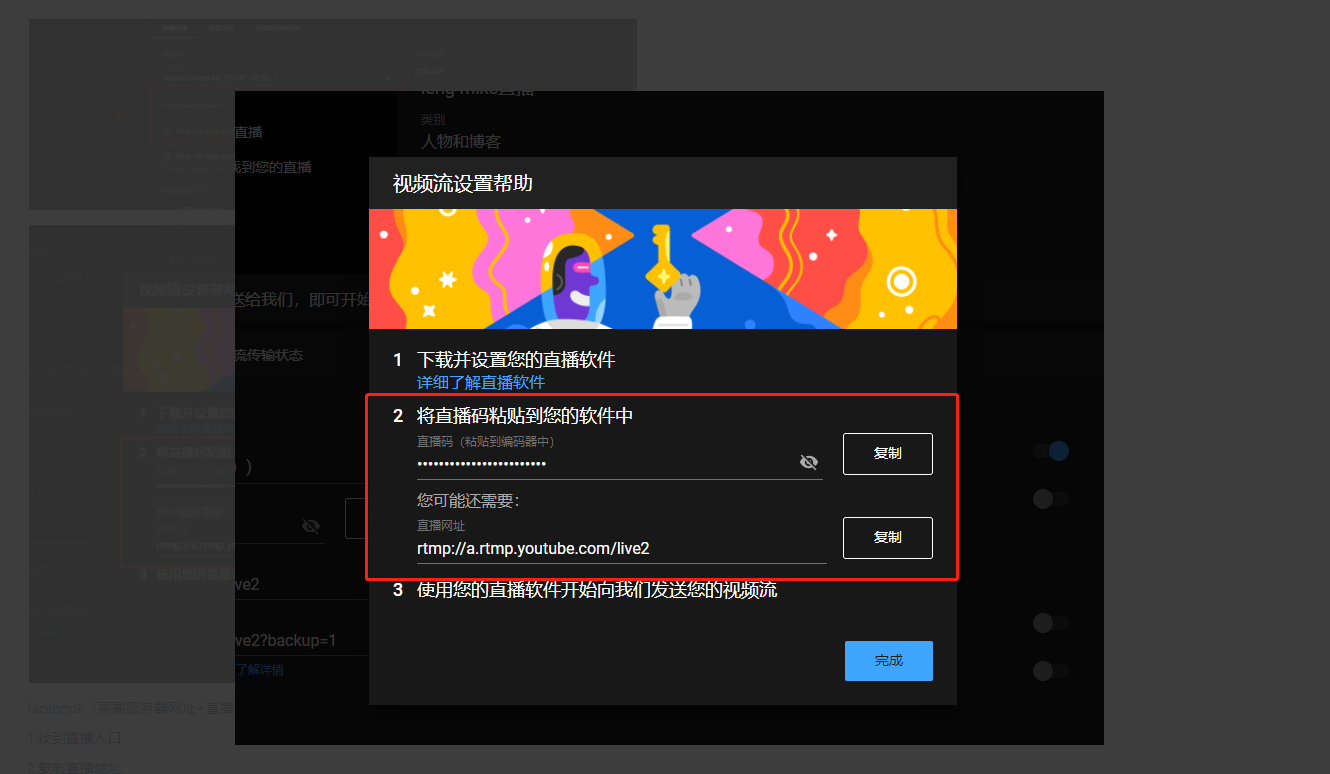
YouTube (requires live stream code + live stream URL)
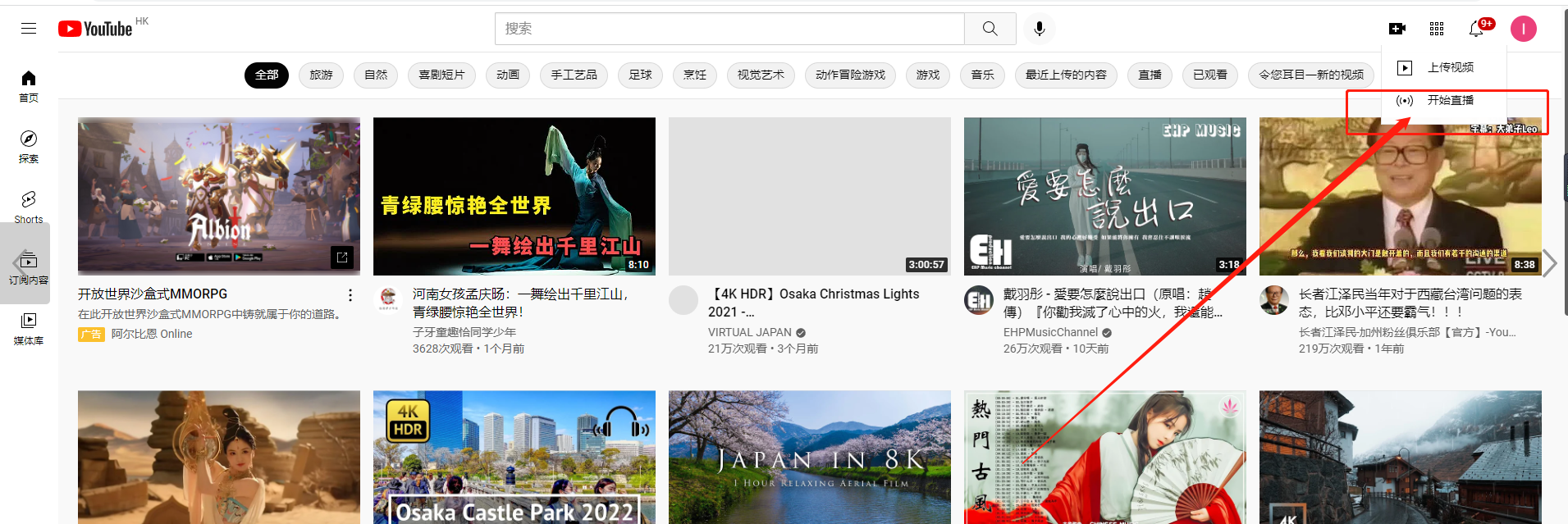
Create a YouTube account and click the "Go Live" button in the top right corner.
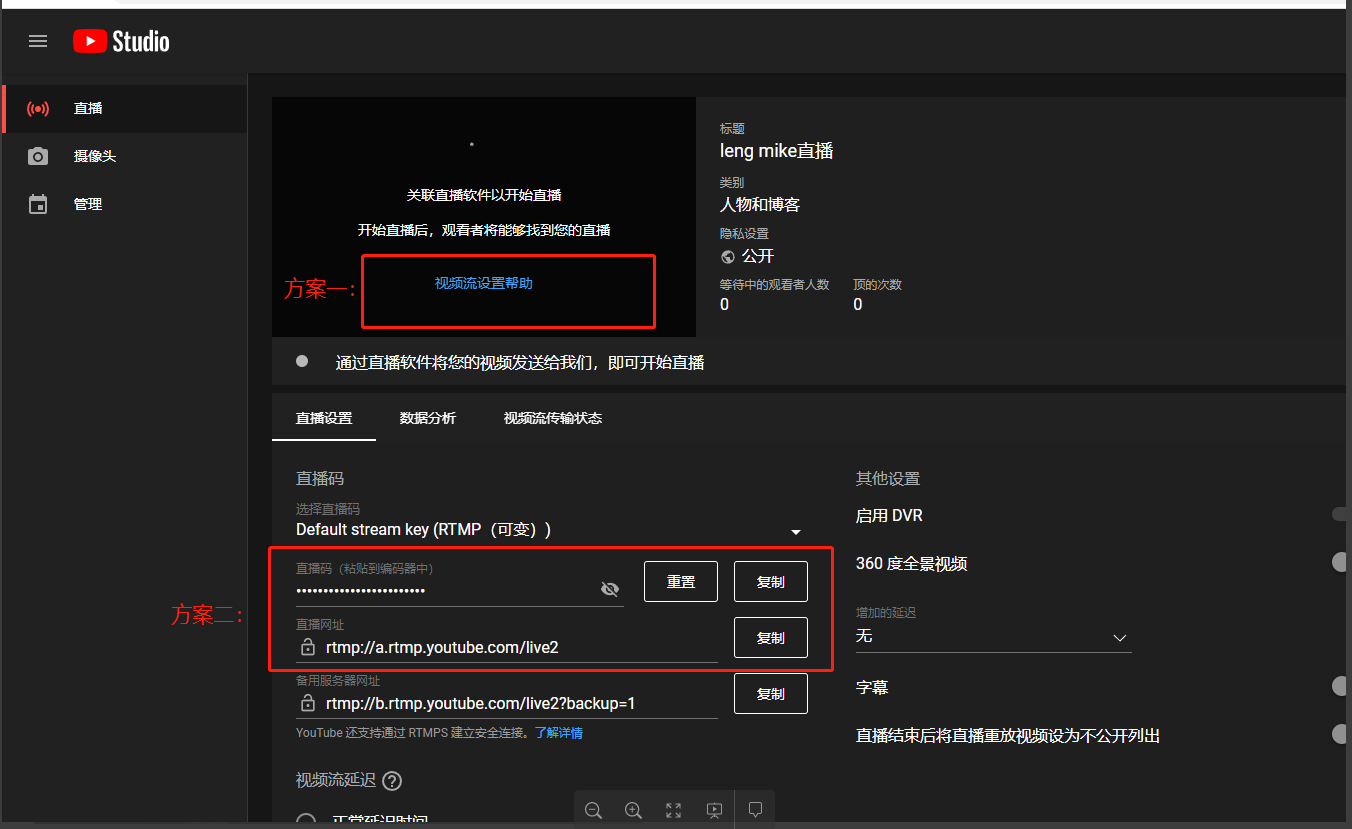
Click the "Stream" option, copy the stream code and live stream URL, then submit them to the Polyv customer service team for configuration.
Facebook (requires server URL + stream key)
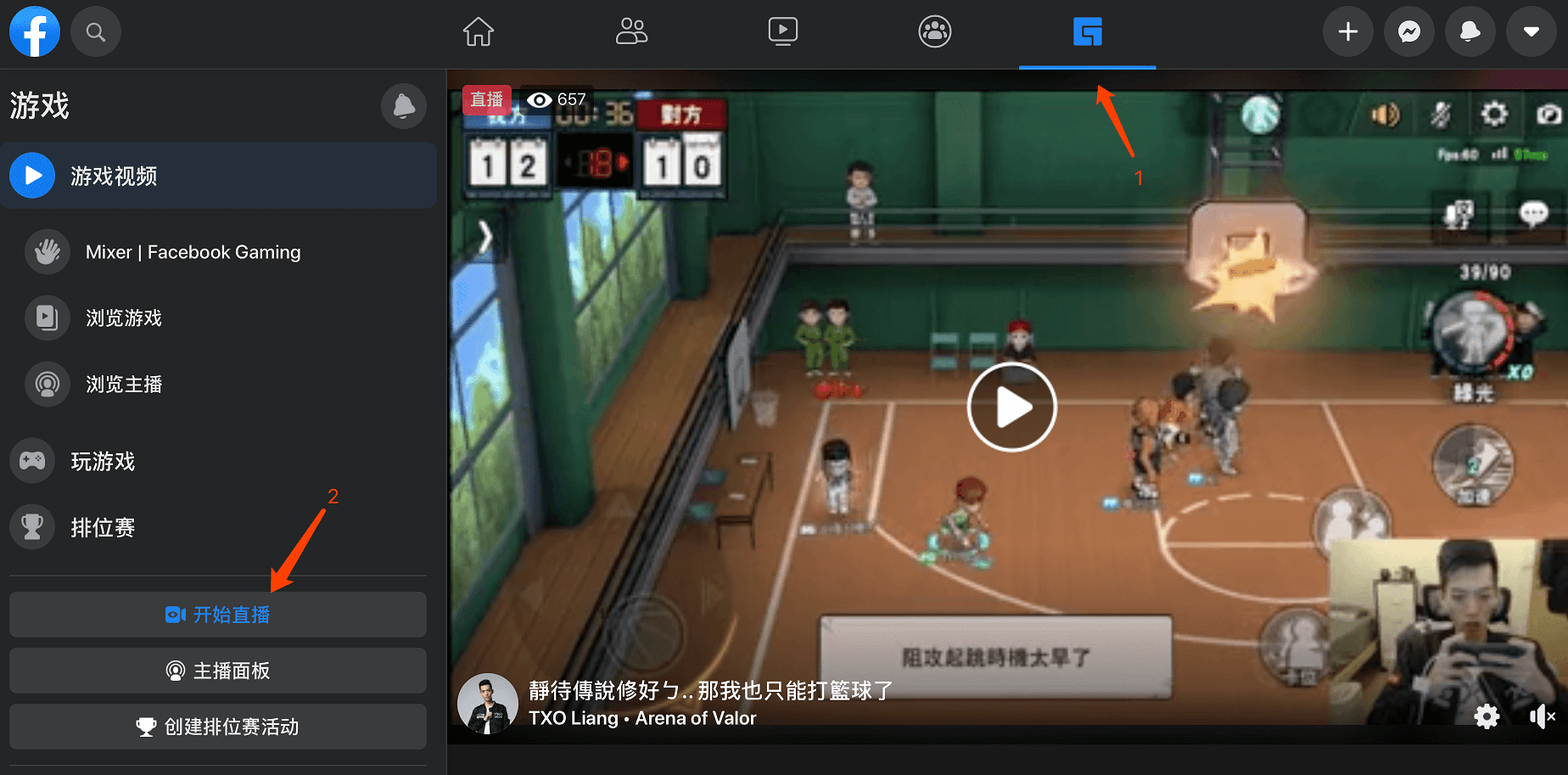
Locate the live stream entry point.
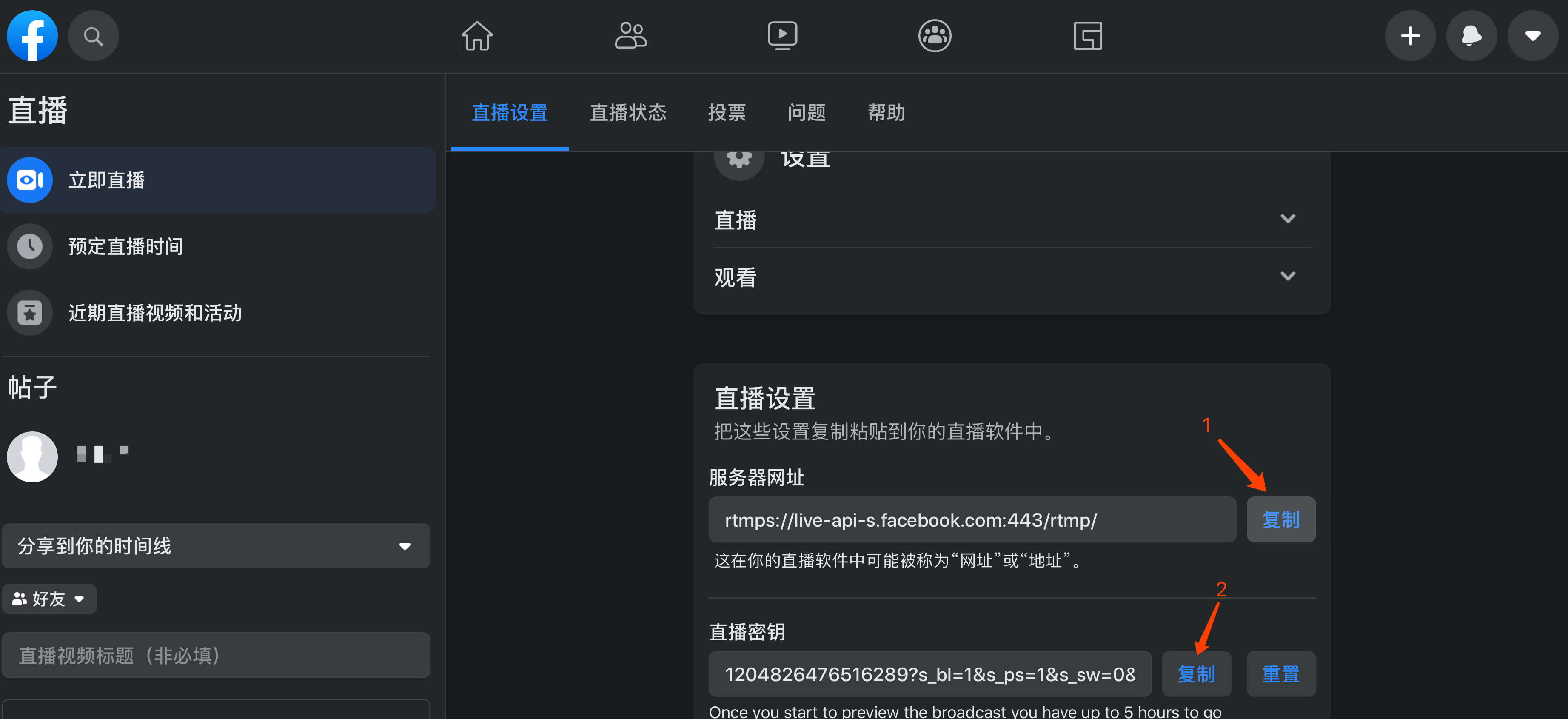
Copy the live stream address.
Provide the server URL and stream key to the Polyv customer service team.